Hi everyone,
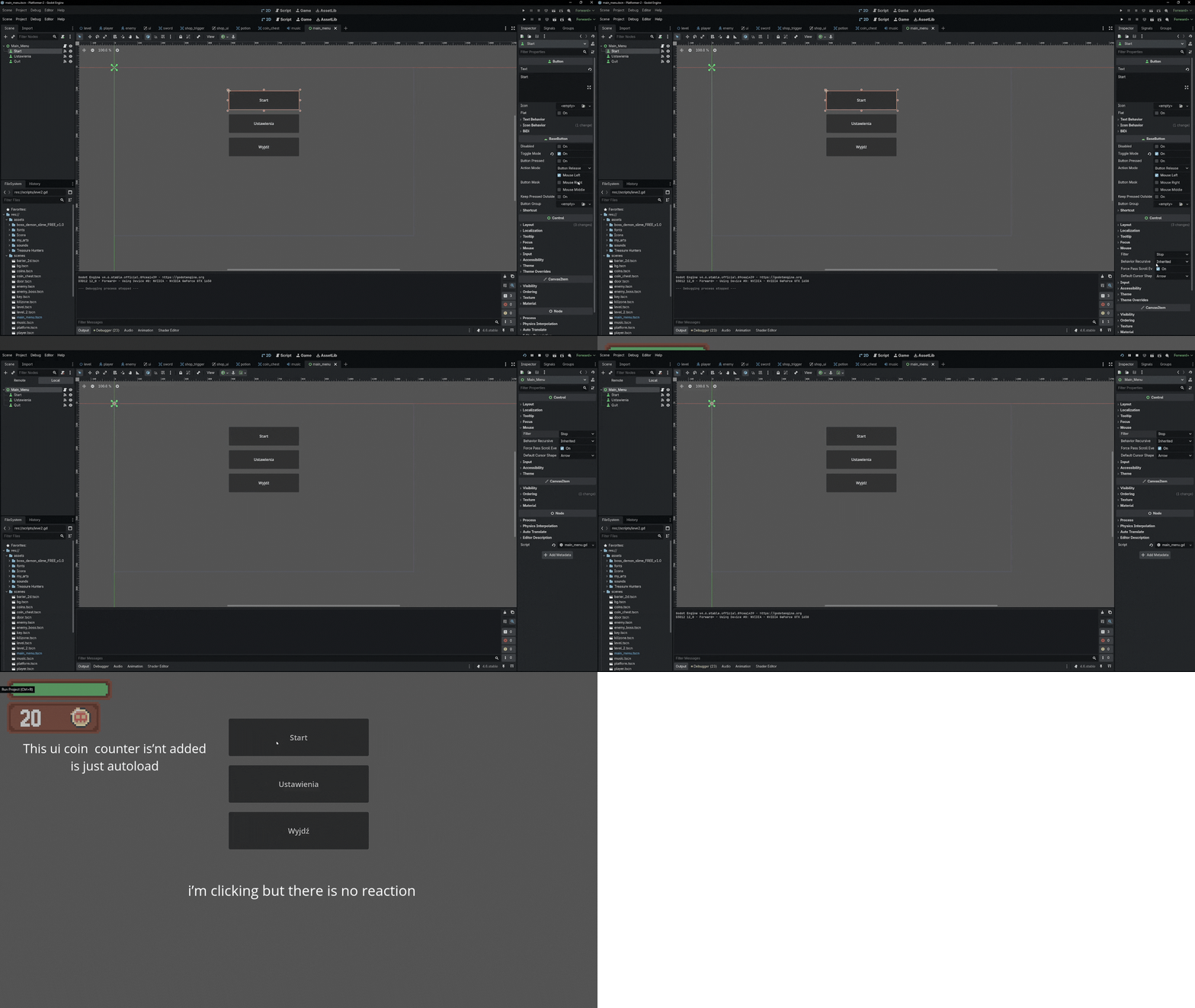
I'm having a problem with buttons in Godot 4.6. I created a main menu scene with a Control node as the root, and several Button nodes as children. I also have a script with functions connected to the buttons' pressed() signals, e.g.:
extends Control
func _on_start_pressed() -> void:
get_tree().change_scene_to_file(Events.current_scene)
func _on_quit_pressed() -> void:
get_tree().quit()
print("Quit pressed")
The buttons do not react at all:
- Clicking them does not trigger the signal.
- They do not show the usual pressed/clicked animation.
- The print() statements never apper in the console.
Things I’ve already checked:
- Focus Mode is set to All.
- Mouse Filter is set to Stop.
- Buttons are children of Control.
- Scene is active and not paused.
- Signals are correctly connected to the functions.
It seems like the input isn’t reaching the buttons at all, but I can’t figure out why. I don’t have any unusual input handling in the scene.
I had the same problem when I was doing a shop then I replace it with input but now i'm creating menu and there should be buttons
Has anyone experienced this in Godot 4.6 or knows what could block button input in a Control node?
there you have short videa
Thanks in advance
