Hi everyone, I have an issue about shaders.
I have 2 nodes in this scene and they are both polygon2D. I have attached a "water disortion" shader material on both of them
for the simulation of water in my game, but something happened like in this screenshot.
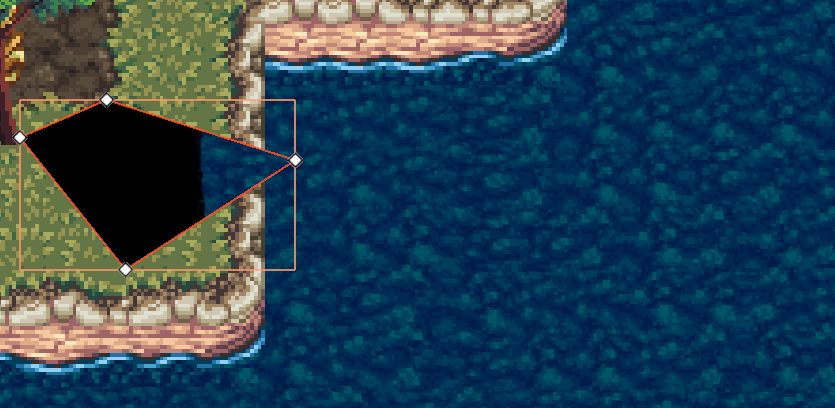
The highlighted polygon2D passes through and covers the "ground" tilemap layer. I know literally nothing about shaders so I wonder why this would happen.
When I make one of the polygon2D invisible, the other node works fine.
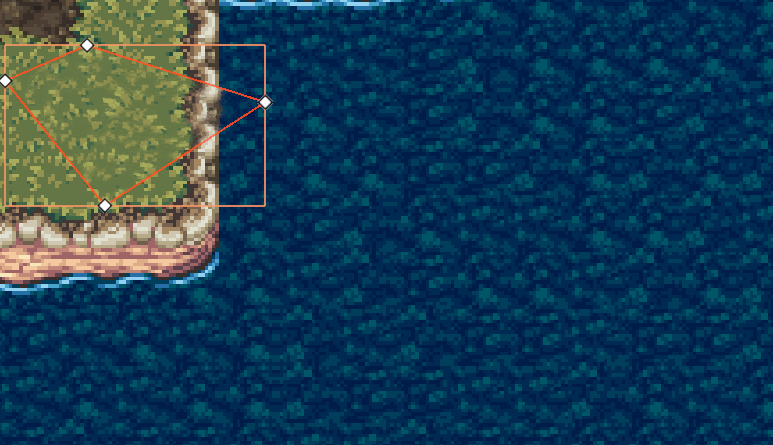
This is the shader code:
shader_type canvas_item;
uniform sampler2D refraction_map;
uniform vec2 refraction_stretch = vec2(1.0, 1.0);
uniform float refraction_strength : hint_range(0.0, 0.1) = 0.02;
uniform vec4 water_tint : source_color = vec4(0.2, 0.6, 1.0, 0.1);
uniform float speed : hint_range(0.0, 1.0) = 0.1;
uniform sampler2D SCREEN_TEXTURE : hint_screen_texture, filter_linear_mipmap;
varying vec2 globalposition;
void vertex(){
globalposition = (MODEL_MATRIX * vec4(VERTEX, 0.0, 1.0)).xy;
}
void fragment()
{
vec2 uv = globalposition / 512.0;
vec2 refraction_offset = texture(
refraction_map,
vec2(
mod(uv.x * refraction_stretch.x + TIME * speed, 1.0),
mod(uv.y * refraction_stretch.y + TIME * speed, 1.0))).xy;
// Set values between -0.5 and 0.5 (instead of 0 and 1). Otherwise the reflection will move whith increased refraction_strength
refraction_offset -= 0.5;
// Get the screen texture and distort it
vec4 refraction = texture(SCREEN_TEXTURE, SCREEN_UV - refraction_offset * refraction_strength);
vec4 color = vec4(1.0);
color.rgb = mix(refraction.rgb, water_tint.rgb, water_tint.a);
COLOR = color;
}
I have 1 more question about shaders. I find out that if I apply a shader, things covered by it would be darkened. Why would it happen?
