Hey there
I am facing the same problem, where multiple sounds are playing with the AudioStreamInteractive. However I think I found a feasable solution.
Use "Edit Transitions" (Inspector -> InteractiveStreamPlayer -> Edit Transitions
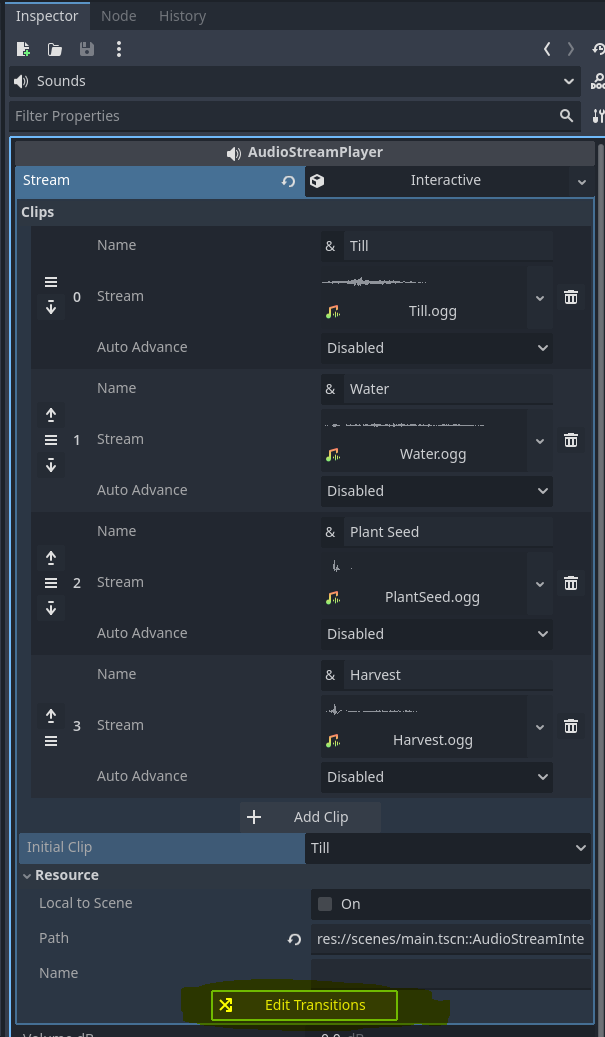
In the Row/Col of "AnyClip" -> "Any Clip" You could use the following (very simple solution)
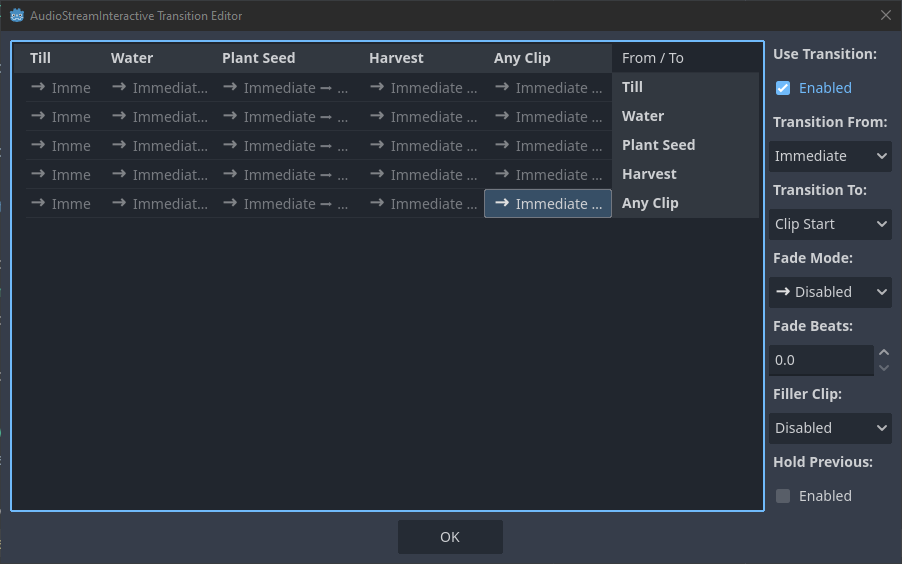
Basically: Select Any Clip -> Any Clip and then:
- "Use Transition" -> Enabled
- Transition to the Start of the Audio Clip
- Disable the "Fade Mode" (I still put Fade Beats to 0.0 just in case) and
- disabled the filler Clip.
Edit:
I used a "Manager" to call the AudtioStreamPlayer after that and used part of your written solution
@onready var sounds : AudioStreamPlayer = $Sounds
## some other code
func _play_sound(soundName: String):
self.sounds.set("parameters/switch_to_clip", soundName)
self.sounds.play()
