Hi,
I'm trying to add the option to change the screen resolution in-game, but it has a couple of problems. First, when the reolution is changed it doesn't properly scale the content. for example, in the project settings I've set the resolution to 1920 * 1080, but when it's changed in game to 2560 * 1440 this is the result:
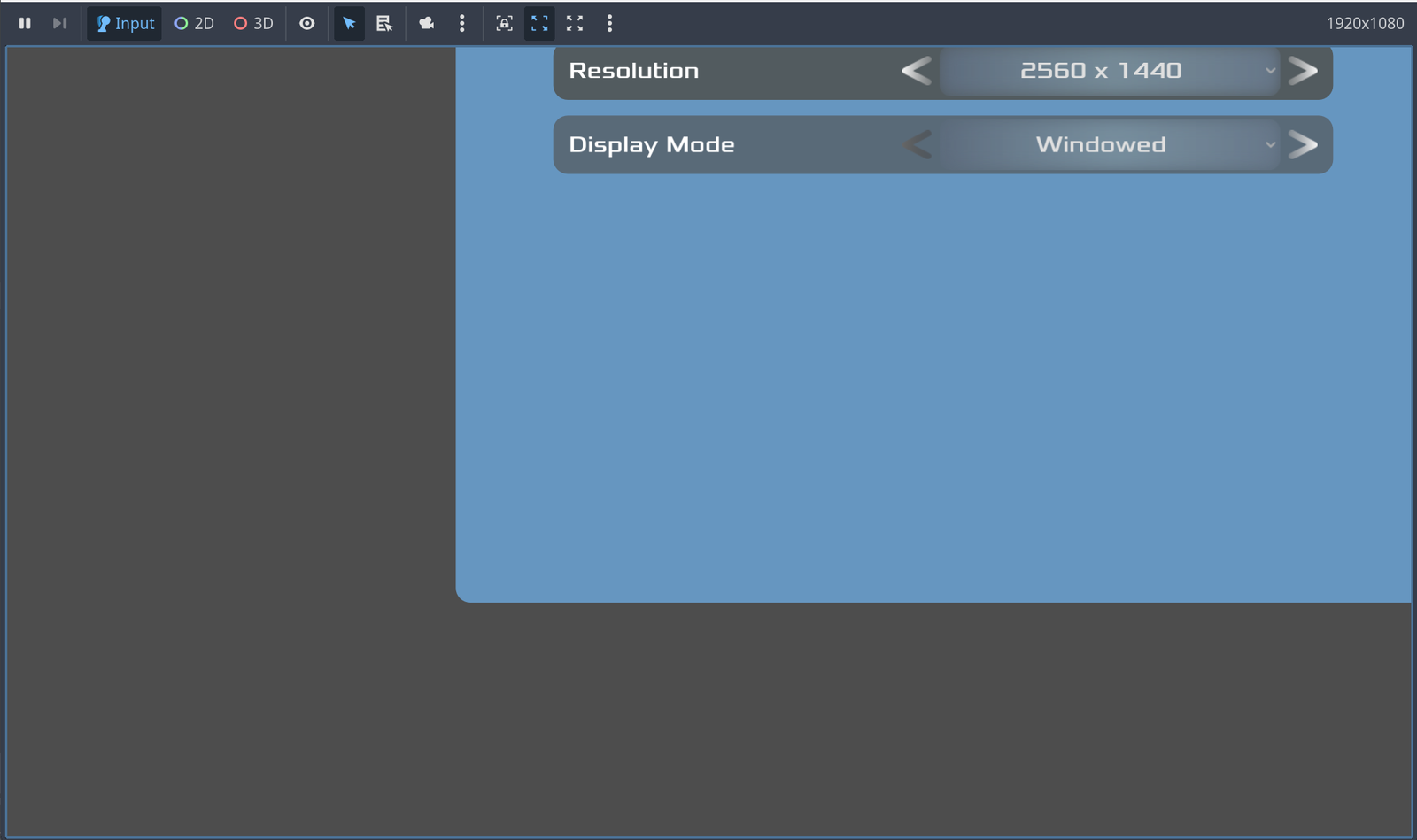
It seems like the actual window size isn't changed. The scale_mode is set to 'canvas_items' and the scale_aspect is set to 'expand', if it matters.
The second problem is that when this setting is changed, it's saved in a "config" file and when the game (or the scene) is reloaded, it is set automatically to the value saved, but it seems like Godot automatically overrides this value with the value from the project settings.
This is the code that sets the resolution:
var viewport = get_tree().root

viewport.size = Vector2i(width, height)

pass
I purposefully put the 'pass' in there to put a breakpoint. When I reload the scene and it hits the breakpoint, I can see the viewport size is actually changed to whatever value is read from the config file, but when I resume the code I can see (from the Remote tab) the size is immediately reset to the value in the project settings.
How can I fix these problems? Thanks in advance!
