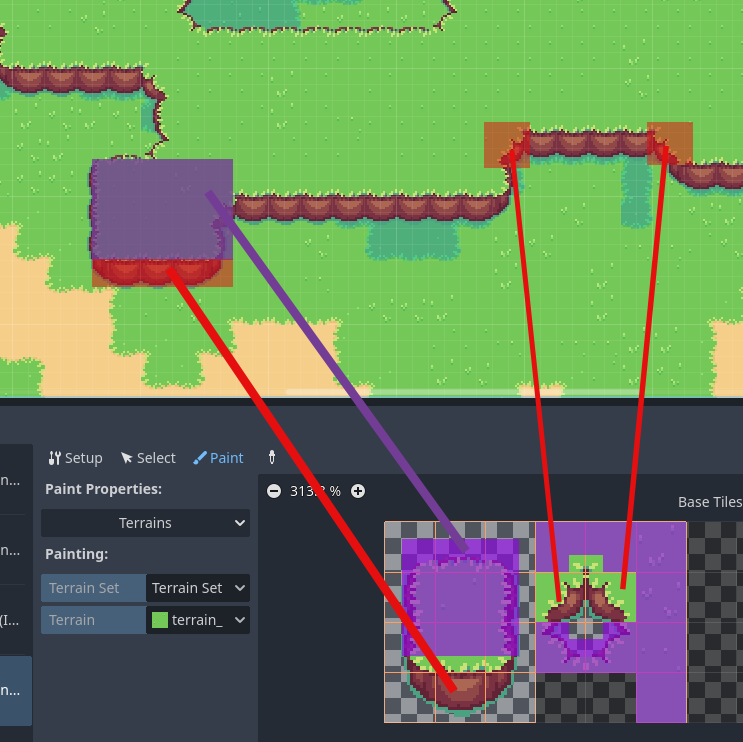
Well I'm still inexperienced with terrains, but I gave it a go and it's a little better. First step, for the tiles that have cliff below them, combine them into one single tall tile:

Because those cliffs will always and only appear below those tiles, they get combined so they will always draw together. To make it so the grass goes where we click and the cliff goes below, the texture origin needs to be adjusted:
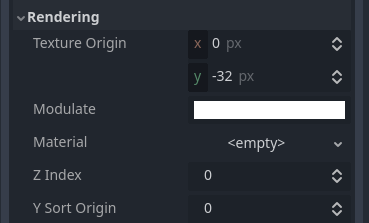
Now the top acts like a single tile and the bottom is just attached to it.
For the terrain painting, I had success, but it was finicky. You can see in the first picture that I used a combination of 2 terrains in order to explicitly get the corners to line up. I was able to draw this without individually placing anything:
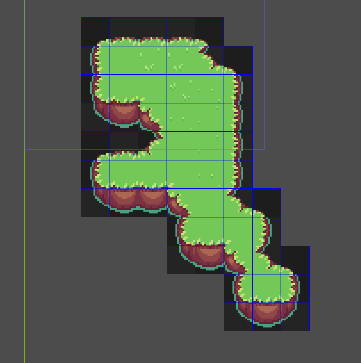
(Don't worry about the blue lines. They're in the png which I just copied from your post)
Sometimes as I was drawing it would draw the wrong tile, but then if I went back and clicked it once or twice more it would go to the correct tile. I'm not sure what from my method is incorrect, but perhaps if you play around with multiple terrains you can get something that works perfectly, or perhaps someone else knows the correct way.