I think a better approach is to use a CanvasItem shader and draw the texture in worldspace, like so:
shader_type canvas_item;
uniform sampler2D world_texture : source_color;
uniform vec2 world_texture_size = vec2(64.0, 64.0);
varying vec2 WorldSpace;
void vertex() {
WorldSpace = (MODEL_MATRIX * vec4(VERTEX, 0.0, 1.0)).xy;
}
void fragment() {
float mask = texture(TEXTURE, UV).a;
vec4 color = texture(world_texture, WorldSpace / world_texture_size);
COLOR.rgb = color.rgb;
color.a = color.a * mask;
}
This shader will only care about the alpha in your tileset, drawing the background texture where tiles are visible. You can put this on a ShaderMaterial and attach it to individual tiles in your tileset:
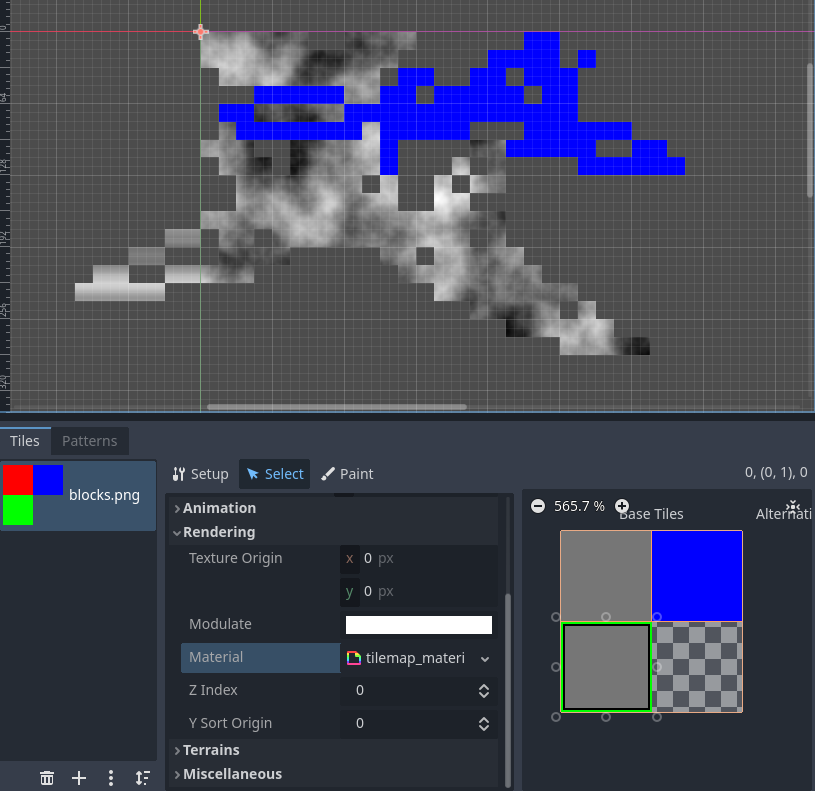
You can have different versions of the Material for different textures. If you like, you can use the color RGB from TEXTURE (which comes straight from the tileset) to tint or do other manipulations to your resulting worldspace texture color. OR you could do my favorite:
shader_type canvas_item;
uniform sampler2D world_texture_r : source_color, repeat_enable, hint_default_transparent;
uniform vec2 world_texture_r_size = vec2(64.0, 64.0);
uniform sampler2D world_texture_g : source_color, repeat_enable, hint_default_transparent;
uniform vec2 world_texture_g_size = vec2(64.0, 64.0);
uniform sampler2D world_texture_b : source_color, repeat_enable, hint_default_transparent;
uniform vec2 world_texture_b_size = vec2(64.0, 64.0);
varying vec2 WorldSpace;
void vertex() {
WorldSpace = (MODEL_MATRIX * vec4(VERTEX, 0.0, 1.0)).xy;
}
void fragment() {
vec4 mask = texture(TEXTURE, UV);
vec4 color_r = texture(world_texture_r, WorldSpace / world_texture_r_size);
vec4 color_g = texture(world_texture_g, WorldSpace / world_texture_g_size);
vec4 color_b = texture(world_texture_b, WorldSpace / world_texture_b_size);
vec4 color = mask.r * color_r + mask.g * color_g + mask.b * color_b;
COLOR.rgb = color.rgb;
COLOR.a = color.a * mask.a;
}
This will allow you to blend between two background textures smoothly within a single tile by controlling the RGB channels. You could use this in combination with 9-slicing to make some nice-looking, controllable transitions.

