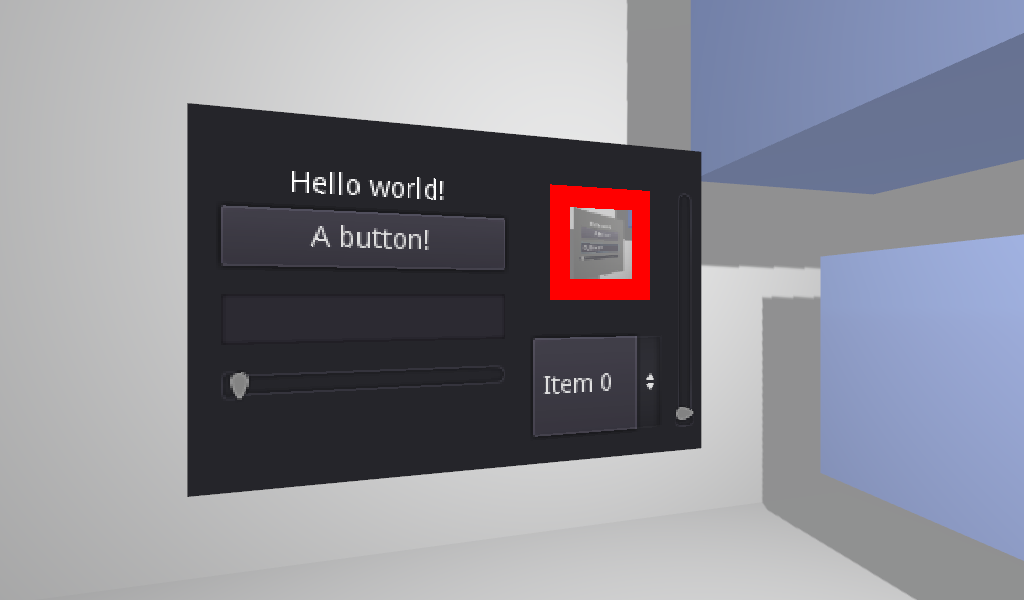
There's no need to download an asset for this method and I always advise against that if it can be helped, I followed a tutorial on this that dealt with 3D bars. You can use a 3D sprite and have it display a viewport which shows all the UI information you need, it will behave completely normally in runtime.
This tutorial is old but it's mostly all in the setup, I'm a fan of 3D UI when implemented in an functional way so I looked it up as well, you could also use straight up 3D sprites and put a collider on them and skip the viewport if interaction is needed. Haven't experimented with a proper UI in 3D myself but I'm sure it's possible, don't know how well the viewport method would work.
https://docs.godotengine.org/en/stable/classes/class_sprite3d.html
https://docs.godotengine.org/en/stable/classes/class_label3d.html
Would highly recommend learning about 3D sprites and 3D labels, they're recent Godot 4 additions and even comes in with built in billboard mode.